
Internal comms · KPIs · meeting rooms
Corporate digital signage for the workplace
Email gets archived and Slack scrolls past. The screen by the elevator reaches everyone who walks by, including the people who never open a laptop: the warehouse shift, the clinic back office, the front desk. We install those screens and run them from one Dashboard, with each department editing its own and IT holding the keys.
Screens from $2,950 installed · (347) 410-6890
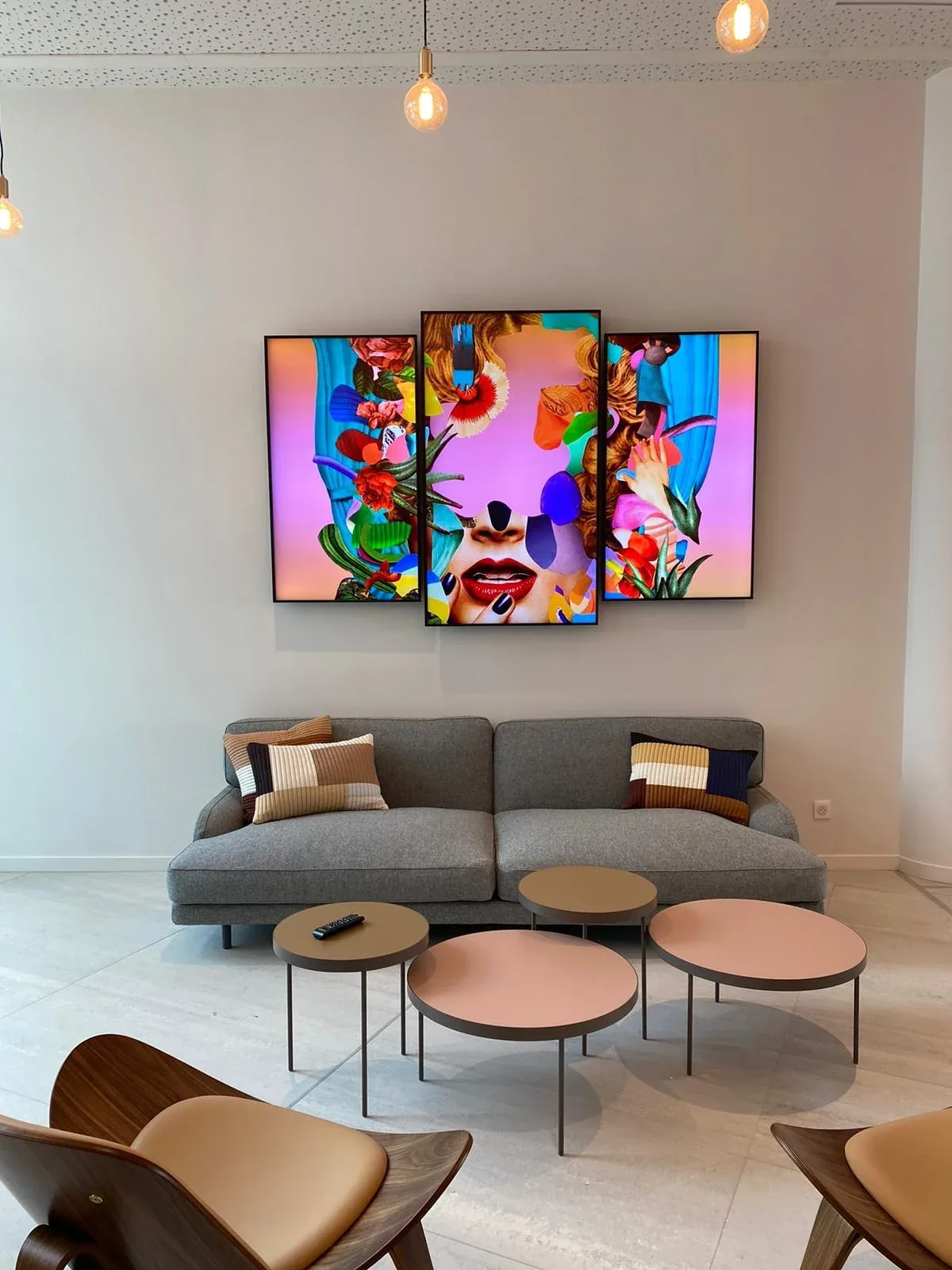
Digital signage for the workplace, room by room
| Where | What runs there | Typical screen |
|---|---|---|
| Elevator bank | Company news, events, the CEO's town hall reminder | 43" or 55" landscape, $3,150 to $3,450 |
| Break room | Recognition, birthdays and anniversaries pulled from BambooHR, Workday or Rippling | 55", $3,450 |
| Ops floor or warehouse | Live KPI board, safety days-without-incident, shift schedule | 65" to 75", $4,550 to $4,950 |
| Meeting room | Video calls, presentations, room status at the door | 55" from $2,450 (display + install only) |
| Lobby | Welcome, directory, brand wall | See lobby displays |
Floor-by-floor content, one override
Internal comms needs two things at once. Each floor sees its own content: engineering sees release notices, the HR floor sees benefits enrollment. And one override lights every screen in every building in seconds when something real happens. The CrownTV Dashboard handles both from the same permission model.
Multi-site companies get site-level campaigns plus a global channel. The same setup runs L'Occitane's 150+ stores, where IT, marketing and store managers each have their own scope and none of them can overwrite the others.
Meeting rooms
For conference rooms we sell display plus install, without a player or software, because the room runs on Teams or Zoom hardware. A 55-inch is $2,450, 65-inch $2,600, 75-inch $4,475, 85-inch $6,500 and 98-inch $9,000, wall mount and shipping included. We can bracket a Logitech Rally Bar or similar video bar under the screen on the same visit; ask for it on the quote.
Showrooms and brand moments
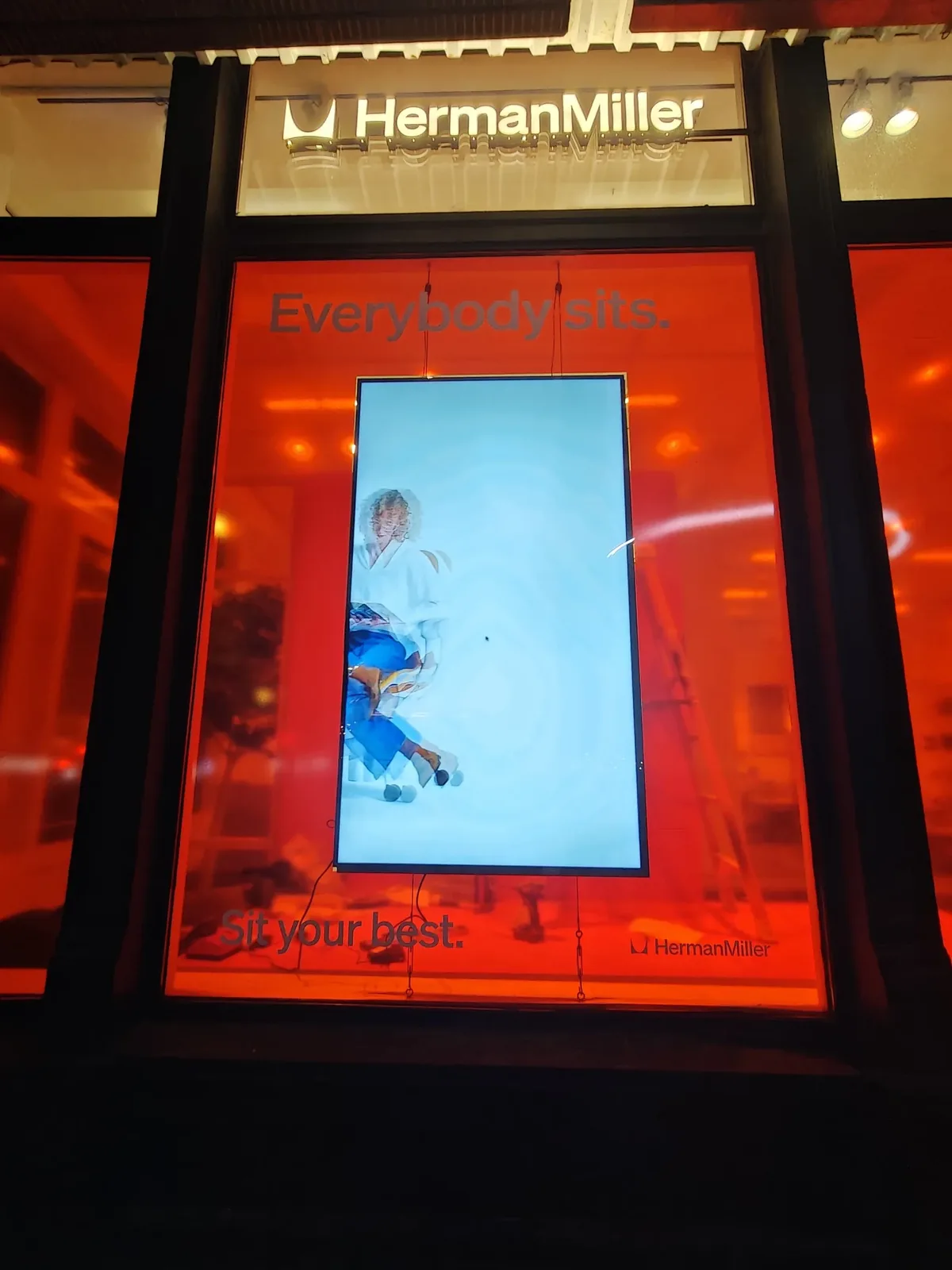
Corporate signage isn't only internal. Herman Miller's Park Avenue showroom needed one display for its Cosm chair launch that architects and designers walking Park Avenue would read as part of the room, not as a TV. We hung a 75-inch Samsung QM75C in portrait on thin cables in front of a red backdrop, with power and signal routed through the cables. Consultation to live took 14 days.
What IT will ask
The player connects over ethernet on a signage VLAN with restricted egress. There's no on-site server and nothing to install on staff machines. Content and device status live in the cloud Dashboard, with role-based logins and an audit log. We work with your IT team on the VLAN, drop placement and any API connections (HRIS, room booking, BI). CrownTV's internal communications page goes deeper on integrations. For 20+ sites, read enterprise programs.
Common questions
Corporate signage questions
How is digital signage used for corporate communications?
Corporate communications teams use digital signage to reach people who aren't at a laptop, with company news, safety notices, recognition, KPIs and emergency alerts on screens in lobbies, elevator banks, break rooms and operations floors, and each floor can show its own content. It covers the gap email and Slack leave on a shop floor or at a reception desk.
What are some corporate digital signage examples?
Typical corporate digital signage examples are a welcome screen and brand wall in the lobby, company news at the elevator bank, live KPI dashboards from Power BI or Tableau on an operations floor, room-booking status outside meeting rooms and an emergency override on every screen. One we installed: a 75-inch Samsung QM75C in portrait, cable-suspended in Herman Miller's Park Avenue showroom for the Cosm chair launch, live two weeks after the first call.
What corporate digital signage software do you use?
We run the CrownTV Dashboard, a cloud CMS with role-based logins and an audit log, per-department and per-floor permissions, embedded dashboards from Tableau, Power BI, Looker or Google Sheets and one emergency override channel, with no on-site server and nothing installed on staff machines. It's included for year one, then $20 per screen per month.
Can each department control its own screens?
Yes. Permissions are scoped per department, floor or building. HR edits HR content, operations edits the ops board, facilities or marketing owns the lobby. IT keeps the super-admin rights and the audit log.
Can we show live dashboards?
Yes. Tableau, Looker, Power BI, Salesforce reports, Grafana, Datadog, Google Sheets or any dashboard reachable by URL, refreshing every 30 seconds to 5 minutes per zone.
How does emergency messaging work?
A designated override channel takes over every screen on every floor in seconds: severe weather, evacuation, lockdown. We recommend testing it during your quarterly drill.
What about meeting room screens?
A 55-inch commercial 4K screen with mount and install runs $2,450 per room without a player or software, up to $9,000 for a 98-inch. Room-booking status from Outlook, Google Workspace, Robin or Teem can run on lobby or door screens. Full room specs are on conferenceroomdisplays.com.
Does IT have to be heavily involved?
Not much. The CrownTV player runs on ethernet on a signage VLAN with restricted outbound traffic. No on-site server, nothing installed on staff machines. We coordinate the VLAN and network drops with your IT team.
Reply in 2 business hours
Scope your workplace screens
Tell us floors, sites and roughly where the screens go. We'll come back with a per-screen price and the questions IT will want answered.
(347) 410-6890Or call. You can also use the full quote form on crowntv-us.com if you want to attach floor plans.
- You send the basics: locations, screens, timeline.
- Within 2 business hours, a priced scope per screen comes back.
- Once the invoice is paid, most sites are installed in 5 to 7 business days.