
Multi-site · RFP · WBE-certified
Enterprise digital signage services across every site
At enterprise scale the screens aren't the hard part. The hard part is 150 locations, three teams publishing to them, an IT department with security rules, and a procurement office that wants one accountable vendor. That's the job we do for L'Occitane across the US and Canada.
Certified WBE in New York State and City · (347) 410-6890
What we've run at scale
| Client | Sites | What made it work |
|---|---|---|
| L'Occitane | 150+, US and Canada | Three permission tiers, real-time device monitoring |
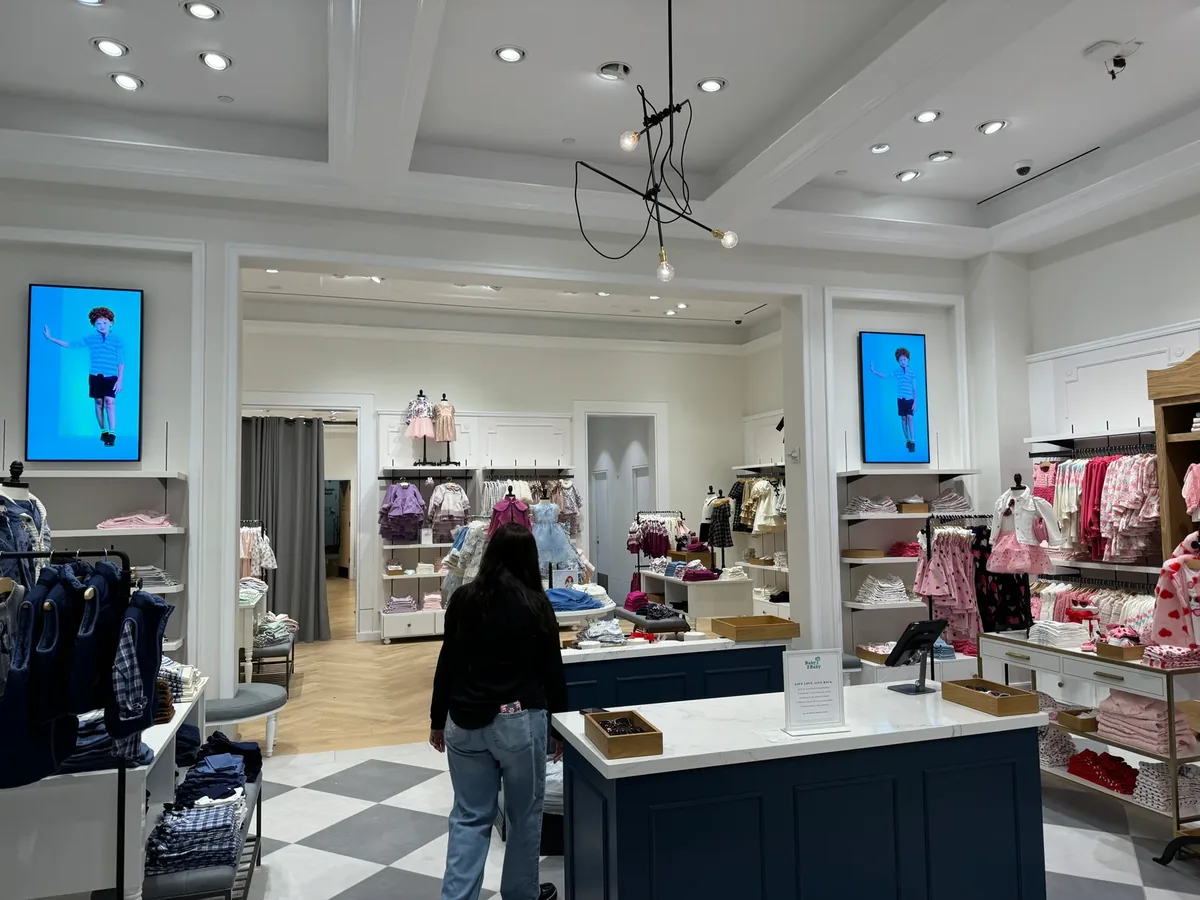
| Janie and Jack | 115+ US + London | One player and HDMI splitter per store, six screens in sync |
| CBD Kratom | 55+ | One kit for every storefront; whole fleet in under 10 days |
| Invicta Stores | 50+, US and international | Replaced DVD players with centrally managed CrownTV players |
The enterprise checklist
- One kit per site format, decided before site one.
- Permissions designed in week one, not retrofitted after 100 sites are live.
- Monitoring that tells us a screen is down before the site does.
- 48-hour player replacement at no charge during a managed contract, spares pre-staged for multi-site accounts.
- Existing network: the player runs over ethernet on your current network, no dedicated VLAN required (IT can put it on one), no on-site server.
- Emergency override that reaches every screen in every building.
- One project manager across every site and every crew.
Enterprise-grade digital signage: what that means
Every vendor says enterprise grade. Here's what we mean by it, and what you can check on a spec sheet or in a contract before you sign.
| What | What to check | What we install |
|---|---|---|
| Commercial panel | No buttons or logo on the front, a warranty that covers business use | Samsung commercial displays from a Samsung Authorized Reseller, 3-year Samsung commercial warranty |
| Duty rating | The hours a day the maker rates the panel for: 16/7 or 24/7 | Samsung's QM series is rated 24/7. The QB series is 16/7, fine for screens that go dark after closing |
| Brightness | About 500 nits indoors, 2,500+ nits facing a window | 500-nit 4K indoor screens, 2,500+ nit window displays |
| Monitoring | Who finds out when a screen goes dark, and how | 24/7 checks on every player and display, alerts when a device drops offline, a monthly uptime report per location |
| Response times | Written, by severity | Urgent issues answered within 2 business hours, standard within 1 business day |
| Access control | SSO and roles you can scope | SAML SSO on the Dashboard, roles per user, location or department |
A consumer TV fails the first two rows before it's out of the box. Details on monitoring and player swaps are on the managed service page.
Procurement facts
- Legal entity: Crown Heights Communication, Inc., DBA CrownTV.
- NYS WBE File ID 75148, awarded May 11, 2026, valid through May 11, 2031.
- NYC SBS WBE certificate MWCERT2026-549, valid through May 31, 2031.
- Certified NAICS 425120. B2G vendor ID 21774328.
- Samsung Authorized Reseller; Samsung 3-year commercial warranty on displays.
- Purchase orders accepted. Net-30 isn't offered.
Budgeting a multi-site program
Start with our per-screen ladder ($2,950 for a 32-inch up to $9,950 for a 98-inch, installed) and multiply by site format. Volume pricing applies on multi-site orders, and we'll match a signed competitive quote on comparable scope. Software is $20 per screen per month after year one.
At 50+ sites, the bigger budget lines are logistics: shipping, crew travel, scheduling around business hours. That's the part a single accountable vendor saves you, because it's the part that slips when three vendors are involved. If the program includes offices, workplace screens and lobby directories run on the same Dashboard and permission model.
Running retail sites? The retail rollout playbook goes step by step.
Digital signage RFP template: questions to include
Writing the RFP yourself? Paste these into your template. They're the questions that separate vendors who've run a 100-site rollout from vendors who've sold 100 screens.
- How many sites, screens and site formats is this priced for, and what's the price per screen and per site format?
- What are the display model numbers, their brightness in nits and the manufacturer's duty rating (16/7 or 24/7)?
- Who holds the warranty, for how long, and who handles the swap when a panel fails?
- What's inside the installed price (mount, player, cabling, labor, year-one software) and what's excluded (electrical, permits, tax)?
- Who does the installs: your staff or subcontractors? Are they insured, in which states, and is there one project manager across all of them?
- How does the player connect to our network, what does it need opened, and is there any on-site server?
- Does the software support SSO and roles scoped by site, region, department or screen group?
- What's monitored, who gets alerted, and do we get uptime reports per location?
- What are your response and resolution times by severity, in writing?
- How fast is a failed player or display replaced, and who pays for it during the contract?
- Which security attestations do you hold today (SOC 2, pen test results) and which don't you hold yet?
- What does the rollout plan look like: pilot site, batch schedule, install windows outside business hours and acceptance checks?
- Who owns the content and templates, and how do we export them if we leave?
- Can you provide a certificate of insurance, W-9, NAICS codes, any supplier-diversity certifications and references at similar scale?
- What are the payment terms, and what does software cost in years two through five?
Our own answers, including what we don't have yet, are on CrownTV's RFP response page. The short version on cost: per-screen prices are on the home page and software is $20 per screen per month after year one.
Common questions
Enterprise signage questions
What makes enterprise digital signage different?
Scale and control. Hundreds of screens across sites, several teams publishing to them, IT security requirements, and procurement that wants one accountable vendor. The screens are the same; the permission model, monitoring and rollout logistics are what change.
Do you respond to RFPs?
Yes, directly. We provide our WBE certifications, certificate of insurance and NAICS codes, and price per screen or per site. Send the RFP to hello@crowntv-us.com.
Is CrownTV a certified WBE?
Yes. NYS WBE File ID 75148, valid through May 11, 2031, and NYC SBS WBE certificate MWCERT2026-549, valid through May 31, 2031. Certified NAICS 425120; our B2G vendor ID is 21774328.
How do you handle permissions across business units?
Scoped roles per site, region, department or screen group. L'Occitane uses three tiers: IT with full access, central marketing for campaigns, store managers for their own store only. It was specified before the first install and hasn't caused a permission ticket since.
Can you work with our existing screens?
Usually. The CrownTV Dashboard runs on screens you already own, at $20 per screen per month for software only. We'll audit what's there and tell you which panels are worth keeping.
What's the rollout speed at scale?
It depends on how uniform the sites are. CBD Kratom's 55+ stores went in under 10 days on a single standard kit. Chains with several site formats take longer because each format gets its own kit.
Reply in 2 business hours
Start an enterprise scope
Send site count, site formats and who needs to publish content. If there's an RFP, attach it through the crowntv-us.com form or email hello@crowntv-us.com.
(347) 410-6890Or call. You can also use the full quote form on crowntv-us.com if you want to attach floor plans.
- You send the basics: locations, screens, timeline.
- Within 2 business hours, a priced scope per screen comes back.
- Once the invoice is paid, most sites are installed in 5 to 7 business days.